DESIGN / AUTOMATE / DOCUMENT

Revit automation
for architecture firms.

I develop Revit plugins that automate repetitive tasks in project documentation. Plans, schedules and sheets are generated from BIM model data and prepared to match your office standards.

BIM MODEL / DOCUMENTATION
AA 010203
Revit pluginsBIM documentationOffice standardsPolski / Deutsch / English
01 / PRODUCTS

Automate documentation.
Directly in Revit.

Tools for apartment sales plans and room documentation. Repeatable workflows, consistent presentation and settings that support your office standards.

01AVAILABLE IN AUTODESK APP STORE

Sales Plans
Generator

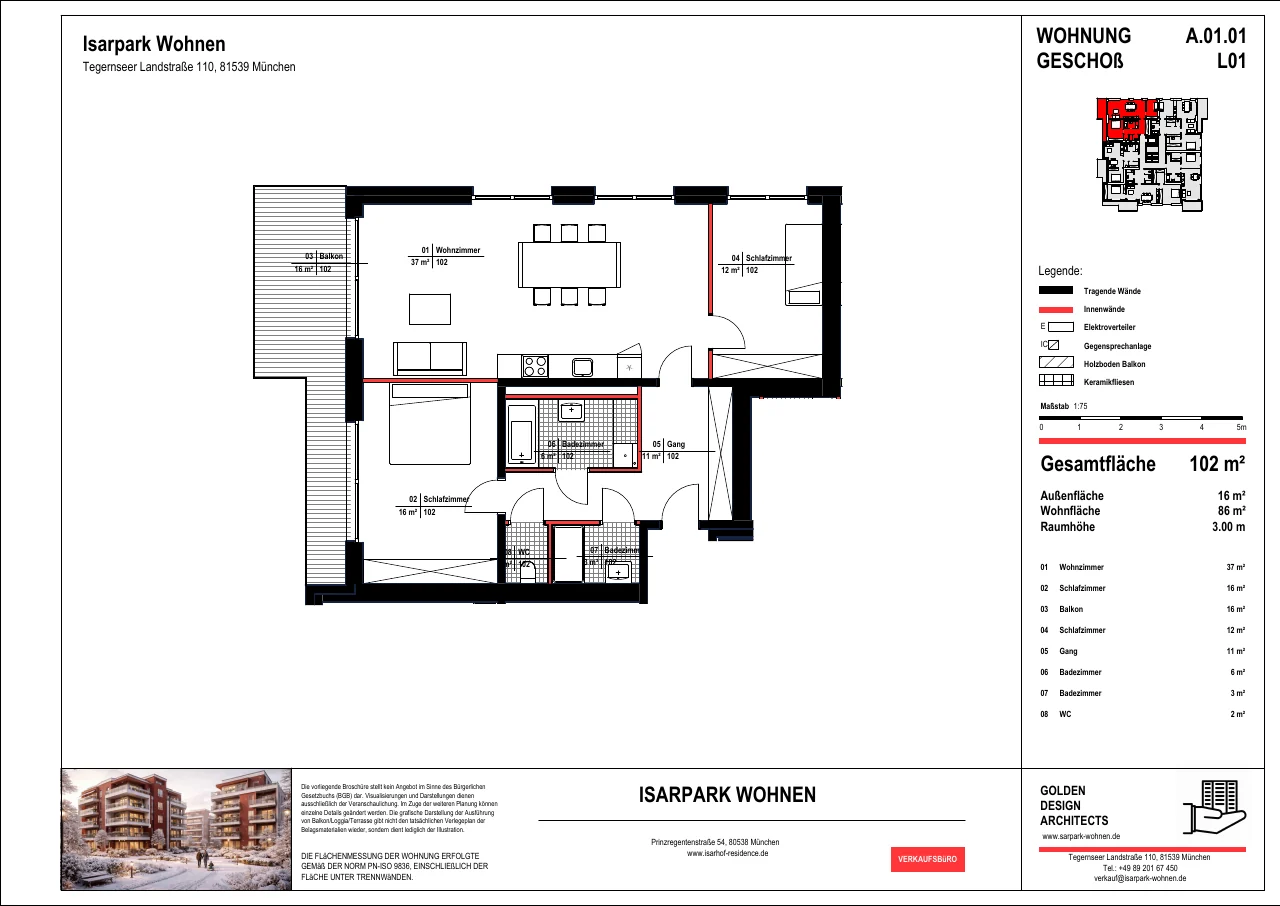
The generator creates apartment sales plans directly from your Revit model. It brings floor plans, area schedules and sheet layout together in one workflow. When the model changes, you can update existing sales plans without creating the sheets again.

  • Automatic sales plans and area schedules
  • Your office titleblocks, view templates and naming
  • Consistent documentation across multiple apartments
  • Update existing sales plans after model changes
Product overview and offerEnglish · 5 pages · 1.2 MB

Features, workflow and implementation benefits. Document in English. opens a new tab.
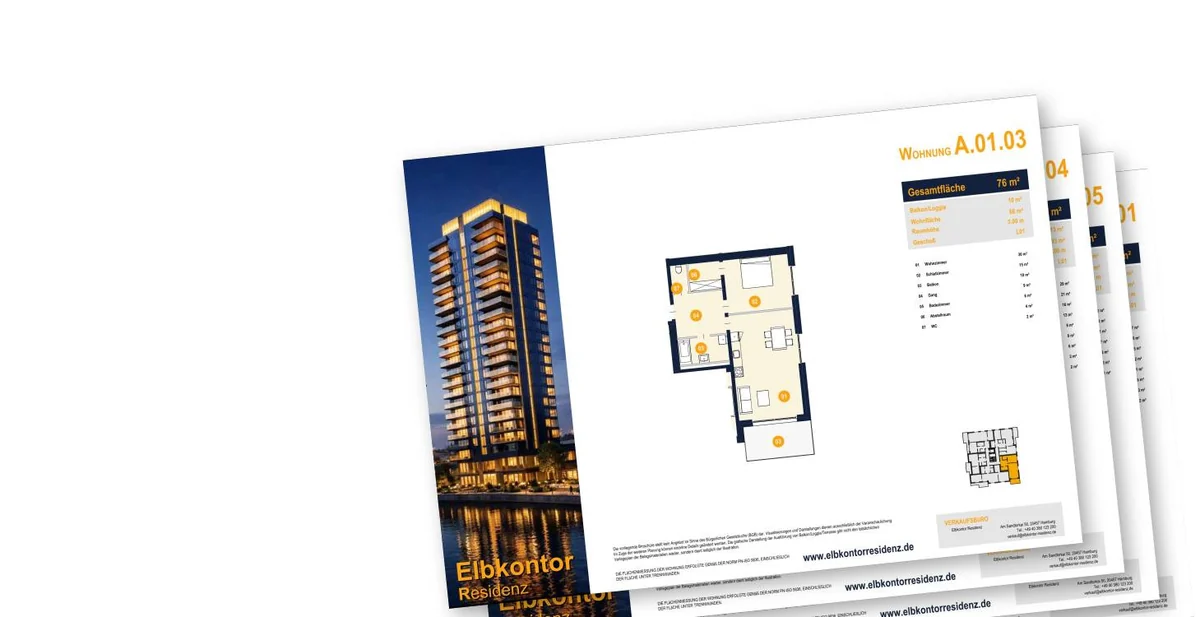
Sample sales plans generated in Revit
Sample sales plans generated in RevitREVIT → PDF
02 / IFC / SPECIALIST DATA / REVIT

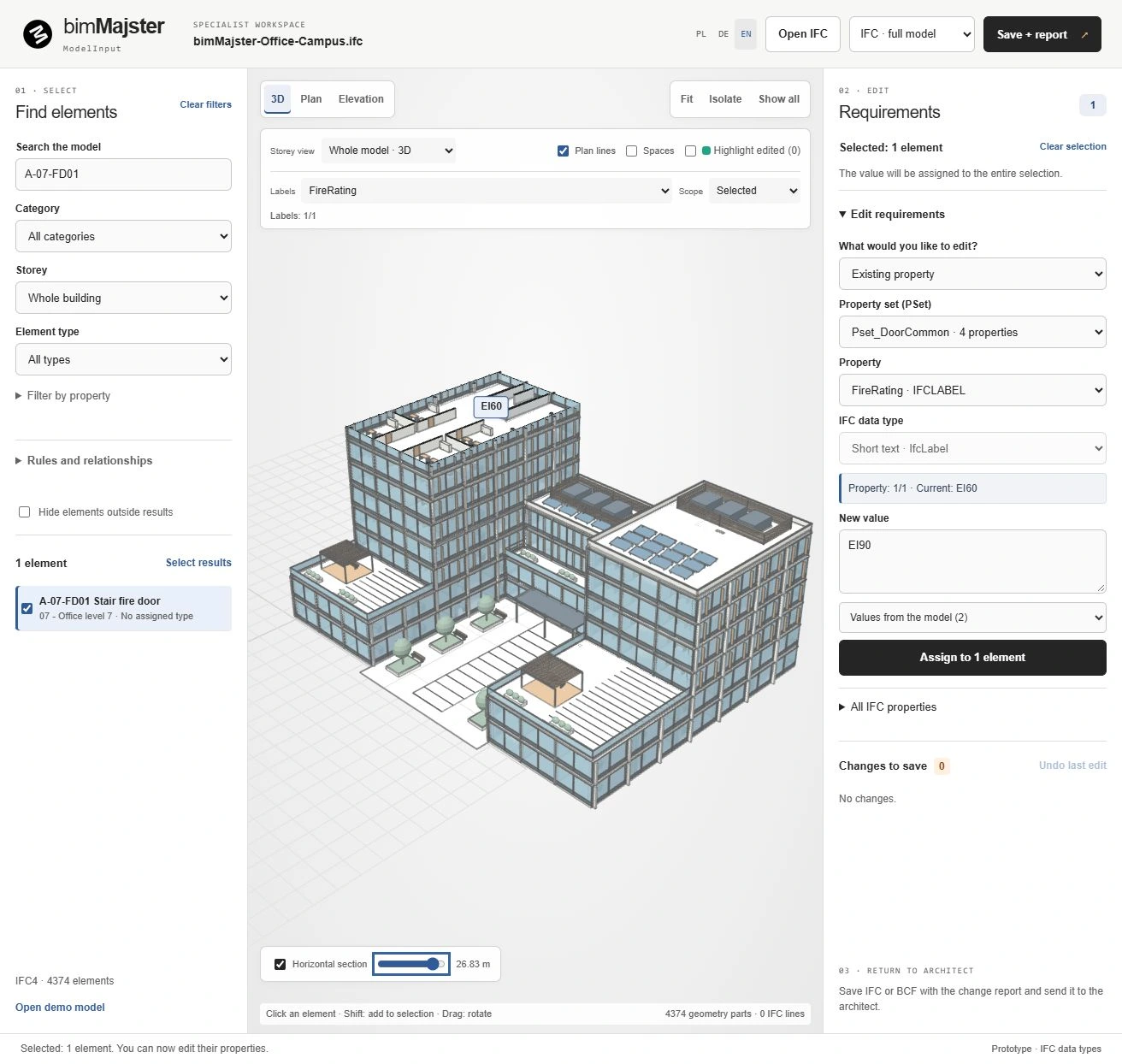
ModelInput

Specialists enrich IFC data. Architects review proposals and transfer selected property values into their Revit model.

Explore ModelInput
ModelInput: entire original IFC campus retained below the top-floor section, with the EI60 stair fire door selected
IFCModelInputRevit
03PILOT / REVIT 2024

RoomDocs

Coordinated views
on a room documentation sheet.

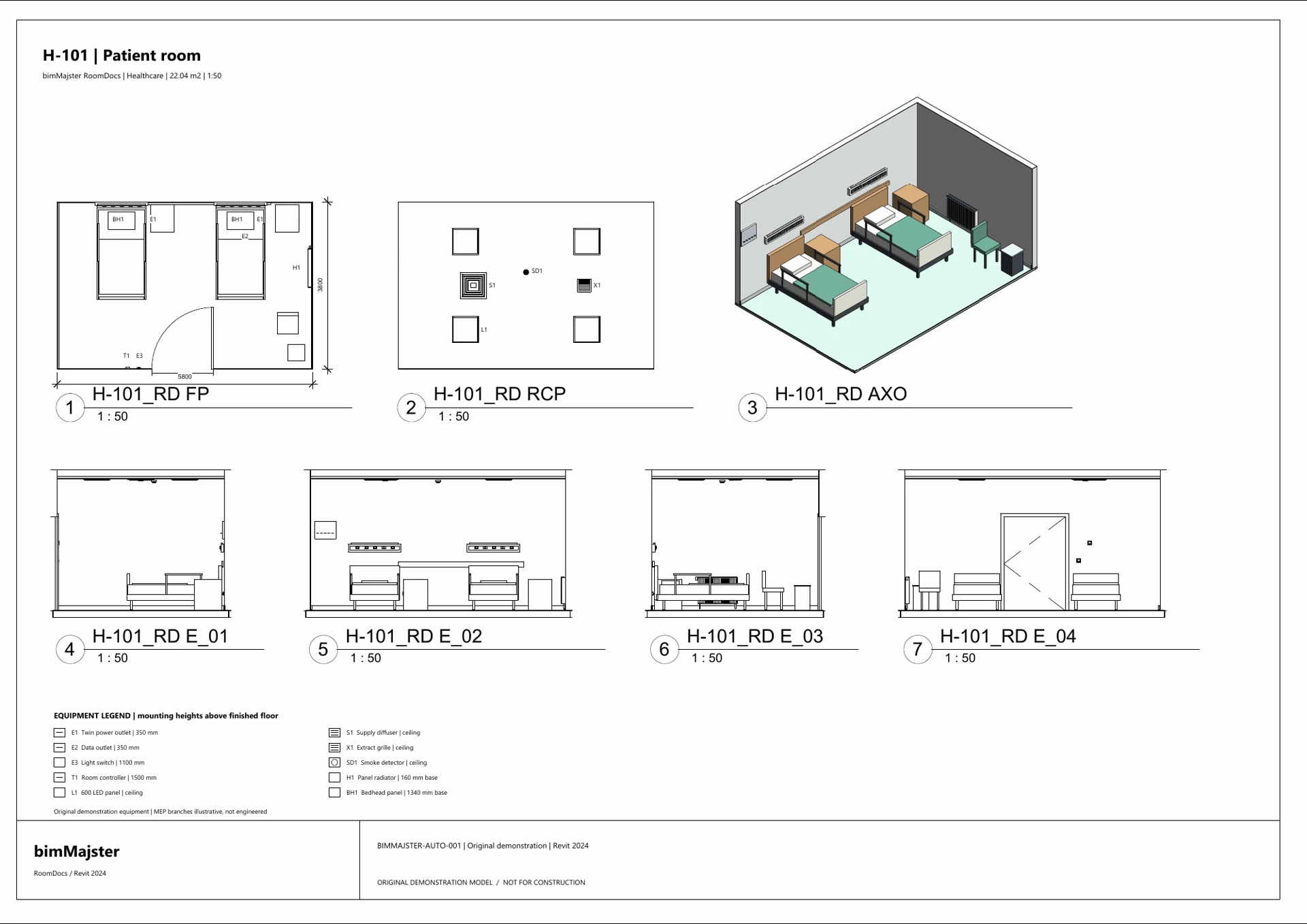
Generate room plans, reflected ceiling plans, interior elevations and room 3D views. Set view templates and naming conventions, then arrange the documentation on sheets to your office standards.

ACTUAL SHEETS FROM REVIT
RoomDocs: complete patient-room sheet with floor plan, ceiling plan, axonometric view, four elevations and a legend
  • Plans, reflected ceiling plans, elevations and 3D
  • View templates and naming conventions
  • Sheet settings and reusable configuration presets
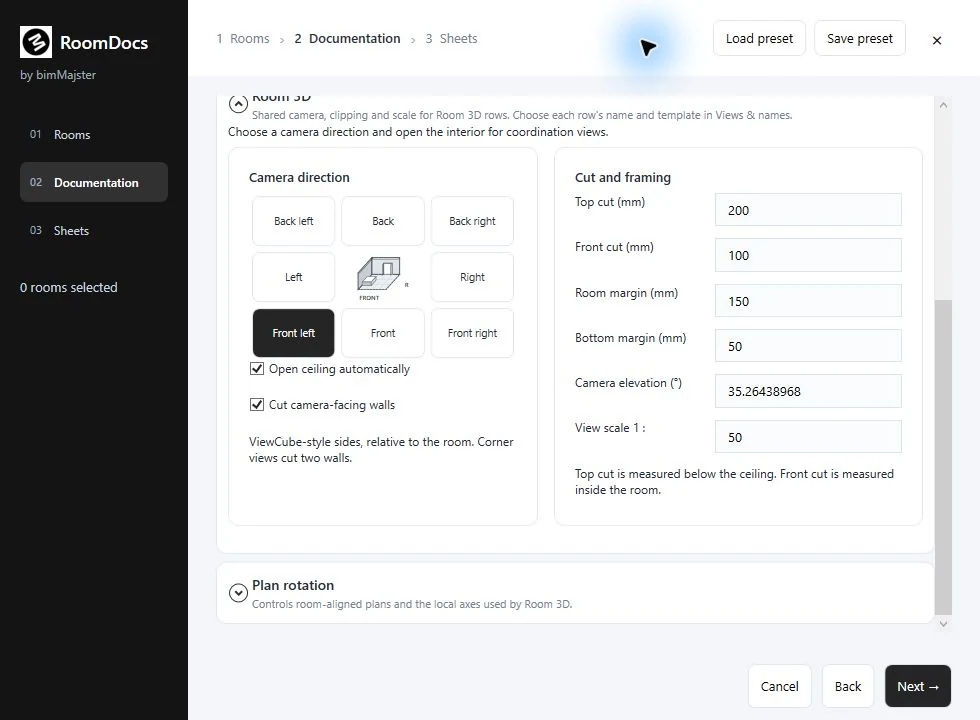
  • Eight viewing directions for room 3D

English · 3 A2 sheets · 0.8 MB

Pilot for Revit 2024. Contact me to agree a test using your office project and confirm availability for your Revit version.

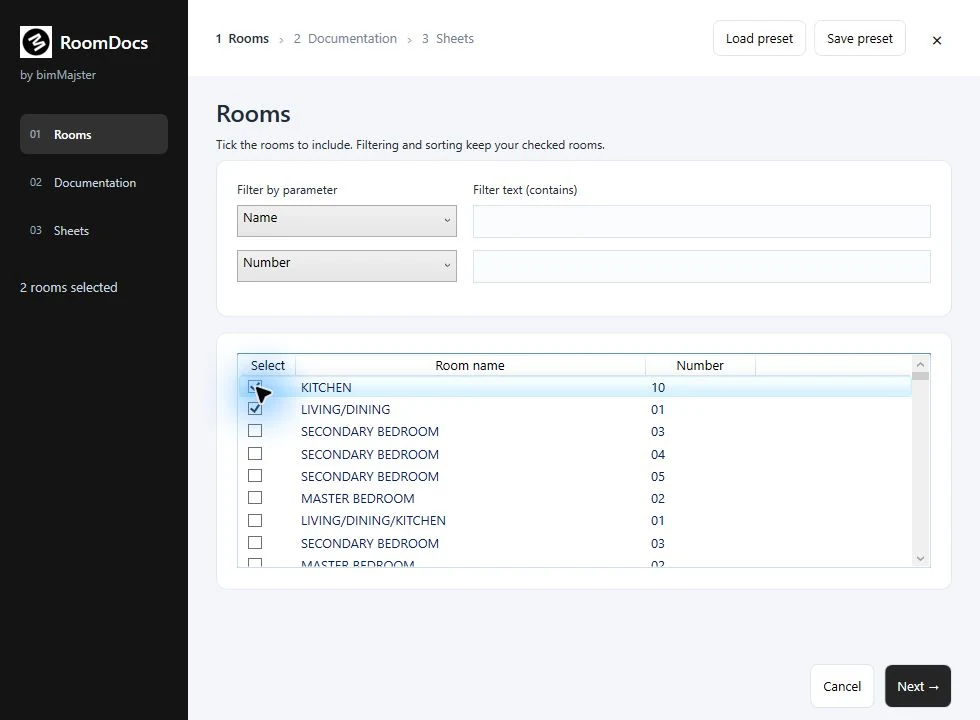
Configure documentation in RoomDocsRoom selection, view settings and sheet preparation.
LOOK INSIDE THE APP

Automated room
documentation in Revit.

Room selection, view settings and sheet preparation.

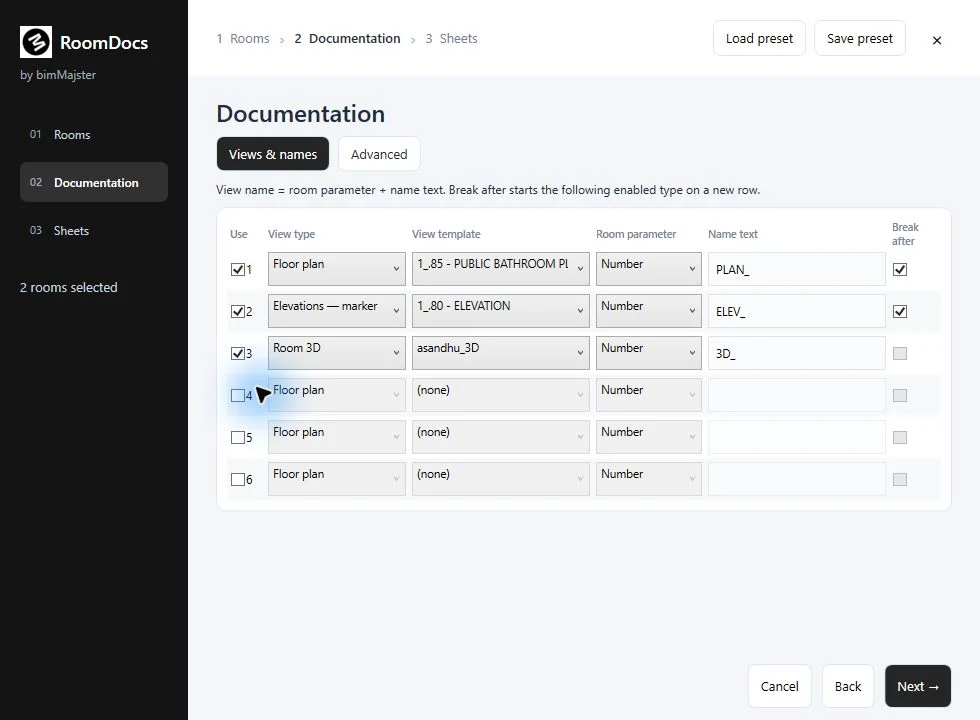
RoomDocs: actual view types, templates and naming interface

Configure the documentation.

Set view types, templates, names and documentation layout.

Actual screenshots of the pilot version. Application language: English.

02 / CUSTOM SOLUTIONS

Tools built around
your office workflow.

I develop custom Revit plugins and extend existing applications. The starting point is a project task: documentation, data processing or export. Together we define the scope, assess the automation options and adapt the tool to the way your team works.

Discuss a custom solution

From a project task
to a working tool.

  • View and sheet automation
  • Legends and model data schedules
  • Exports and recurring project workflows
  • Development and adaptation of existing plugins
Damian SzyjkaArchitect · Revit plugin developer
03 / WORKING TOGETHER

From workflow analysis
to implementation.

01 /

Workflow analysis

We discuss your current process, office requirements and the result you need. A sample sheet or task description helps establish the scope for automation.

02 /

Scope and concept

I review the implementation options in Revit. We agree functions, priorities and documentation standards, then define how the tool will work.

03 /

Development and handover

I develop the solution; we test it on agreed examples and introduce it into your office workflow. You receive instructions. Training and support are agreed as part of the project.

04 / QUESTIONS AND ANSWERS

Features, standards
and implementation.

Will the documentation match our office standards?

Sales Plans Generator uses titleblocks, view templates and naming from your project. RoomDocs provides configurable views, sheet layouts and reusable presets. We can review specific requirements before implementation.

Can sales plans be updated after model changes?

Yes. The update function applies model changes to existing sales plans. You do not need to recreate the sheets from the beginning.

Which views does RoomDocs create?

Room plans, reflected ceiling plans, interior elevations and room 3D views, depending on the selected configuration. The documentation can be arranged on sheets using your office settings.

Which Revit versions are supported?

Check Autodesk App Store for current Sales Plans Generator compatibility. The RoomDocs samples shown here come from the Revit 2024 pilot. Availability for other versions is agreed before testing or implementation.

Can an existing tool be extended?

Yes. We can discuss additional functions, adaptations to office standards or changes to the workflow. After reviewing the task, we agree whether to extend the existing plugin or develop a separate application.

What should I include in an enquiry about a custom plugin?

A description of the task, your Revit version and a sample of the result you need. This gives us a basis for discussing the options, scope and next steps.

CUSTOM BIM SOLUTIONS

Let’s discuss
automation.

Looking to improve your documentation workflow or commission a Revit plugin? Get in touch to discuss your office requirements.

Phone contact+43 676 5096518

Based in Graz, Austria · Working in Polish, German and English

Sales plans
to your office standards.

Open full-size image